
Every plant knows its reject rate is a number somebody quotes in the morning meeting. Fewer plants can say where that reject came from — which operation, which work center, which defect — and fewer still can prove that a reject reported on the floor ever reconciled against the work order. That gap is where yield quietly leaks.
This is a practical guide to closing it. It covers why unmeasured reject flatters your yield, the difference between line rejection and in-process reject, how to capture good and reject at every operation, how to run a controlled rework loop instead of an informal one, how to find the cause with defect-vs-work-center analysis, and how AI clustering surfaces the recurring themes buried in reject remarks. The theme throughout is the same: you cannot reduce what you never counted against the job that produced it.
1. The cost of unmeasured reject
The most expensive reject in any factory is the one that never gets recorded. A part fails at a machining operation, an operator drops it into a bin, and the job moves on. The paperwork shows the quantity that reached the end; the bin shows the truth. Because nothing was booked, three things happen — none of them good.
- Yield looks better on paper than it is in the stores. If reject is only visible when the finished-goods count comes up short, the shortfall gets discovered late — often after material has already been issued for the next batch. The number in the report and the number on the rack disagree, and the rack is right.
- The same defect comes back. A defect nobody counted is a defect nobody investigated. It recurs on the next work order, and the next, because there is no record tying it to an operation or a cause. Reject that is not attributed cannot be reduced.
- Consumption stops reconciling. Material was issued against the work order for a quantity that was never made. Unless the reject and scrap are booked with a record, the difference between issued and produced looks like loss, theft, or a counting error — when it was really unrecorded reject all along.
The fix is not more discipline in the abstract; it is a place to put the number at the moment the part fails. Reject has to become a booked event against the work order, at the operation where it occurred — not a note on a job card that gets lost, and not a memory that fades by the end of the shift.
2. Line rejection vs in-process reject
Two different things get called "rejection" on a shop floor, and conflating them is where a lot of measurement goes wrong. They are captured at different moments, against different documents, and they answer different questions. A third — incoming-material rejection — belongs to goods receipt, not to production at all, and is out of scope here.
- Reject quantity booked at an operation as material moves through the route
- Captured as WIP good versus WIP reject at each work center
- Answers: which operation is losing parts, and how many?
- Tracks quality operation by operation, as the part is built
- Parts rejected on the production line, booked against the work order
- Recorded at part or child-part level, a distinct step of its own
- Answers: what did this job actually reject, at part level?
- Separate from incoming-material rejection at goods receipt
In-process reject is the running tally. As the part progresses along its route, each operation books a good quantity that passes forward and a reject quantity that does not. Booked this way, a WIP-reject at the second operation is unambiguously the second operation's — not smeared across the whole job. This is the signal that tells you an operation, not just a job, is losing parts.
Line rejection is the part-level event: a manufactured part rejected on the line, booked against the work order. It can be recorded at the level of the finished part or at child-part / component level, so a rejected sub-assembly is attributed to the child that actually failed. Line rejection is a distinct step from in-process reject — one is the operation-by-operation running record, the other is the part-level booking against the WO — and both are separate again from rejecting incoming raw material.
Keeping the two distinct matters because they drive different actions. In-process reject drives operation-level improvement; line rejection drives the salvage-or-scrap decision and the rework loop. A plant that records only a single blended "rejection" number can neither improve the operation nor make a clean rework decision, because the number no longer says where the loss happened or what stage it was at.
3. Capturing reject at each operation
The single highest-leverage change most plants can make is to book good and reject at every operation, not just at the end of the route. The end-of-line count tells you the job lost parts; it cannot tell you where. Per-operation capture turns a lump-sum loss into an attributed one.
In practice this means three small habits, enforced by the system rather than by memory:
- When an operator finishes an operation, they record the good quantity passing forward and the reject quantity that does not
- Because the booking names the operation and its work center, reject is attributed to where it happened
- The route becomes a chain of good/reject records, so you can see exactly where the quantity fell away
- Material genuinely lost to the process — offcuts, burnt parts, setup pieces — is booked as process scrap, not quietly dropped
- A scrap record keeps consumption reconciling: issued material equals good plus reject plus scrap, with nothing unexplained
- It also separates true scrap from reject that could still be reworked
- The reject is charged to the WO that produced it, so the job's real yield is visible against the job — not averaged over the month
- Line rejection at part or child-part level attributes the failure to the right part
- Because WIP good and WIP reject are separate postings, the good quantity moves forward while the reject branches into a decision — without touching finished-goods stock until a real transfer happens
A useful principle sits under all of this: stock only truly moves at defined commit points. WIP good and WIP reject bookings track quantity through the route, but material actually leaves stores when it is issued to the work order, and finished goods only enter stock at the finished-goods transfer. Booking reject at an operation records the loss without pretending stock moved that did not — which is exactly why the numbers stay honest. For the full picture of how issue, WIP and transfer fit together, see our guide on what a manufacturing execution system does, and the mechanics of material issue and WIP capture.
4. The rework loop — salvage, transfer back, or scrap
Once a part is rejected, the question is what happens to it. In too many plants the answer is "someone decides at the bench" — which means the decision, and the parts, disappear from the record. A controlled rework loop replaces that with a defined sub-process that a rejected quantity enters, moves through, and exits with a recorded outcome.
The loop has four stages, and it is worth stepping through each one because the discipline lives in the transitions:
| Stage | What happens | The record it creates |
|---|---|---|
1Define a rework route |
The rejected quantity is given its own rework route — the operations needed to bring it back to specification | A rework process sheet for that quantity, so the rework is planned, not improvised |
2Track rework status |
The rework operations are executed and their own good and reject are captured, exactly as on the main route | A rework status showing how much passed rework and how much failed again |
3Decide the outcome |
Salvage the reworked parts, transfer them back to the main flow, or scrap what cannot be saved | A booked decision — no part leaves the loop without one |
4Raise replacement if needed |
Where a scrapped part still owes the order a quantity, a replacement requisition is raised | A replacement PR, so the order's demand is not silently short |
The decision at stage three is the heart of it, and it has three clean exits:
- Salvage to finished goods. If the reworked part is complete and now passes, it transfers to finished goods like any other output — recovered, not lost. The salvage is recorded, so a reworked part is never confused with a first-pass part.
- Transfer back to the main flow. If the part needs further operations before it is finished, it re-enters the main production / work-order flow at the right point, rather than jumping straight to stock.
- Scrap with a record. If the defect cannot be corrected to specification, or the rework would cost more than the part is worth, it is scrapped — with a record — and a replacement can be raised where the order still needs the quantity.
What makes this a loop rather than a leak is that every rejected part has exactly one recorded destiny. It was salvaged, transferred back, or scrapped, and the rework route it went through is on file. That record is what lets you answer the questions that reduce rework over time: how much of our reject is recoverable, how much rework cost are we absorbing, and which defects keep sending parts round the loop?
Deciding whether to salvage or scrap is only credible when the rework route has a cost. If the operations to recover the part are defined and priced — the way a normal route is — the salvage-or-scrap call becomes arithmetic rather than instinct. See how process and route sheets carry operation cost, and how they feed the rejection and rework workflow.
5. Finding the cause — defect vs work center
Capturing reject at each operation is not the goal; it is what makes the goal possible. The goal is to find the cause and remove it. Because every reject is now attributed to an operation and a work center, the data can be pivoted into the views that point at causes rather than symptoms.
Three cuts do most of the work:
- Defect vs work center. Map which defect types cluster at which work center or operation. A defect that concentrates at one station is usually a station problem — a worn fixture, a drifting setting, a tool at end of life — not a random event spread evenly across the plant.
- Reject and scrap rates by item and work center. The same physical defect can be trivial on one item and ruinous on another. Rates by item show where the loss actually hurts; rates by work center show where to send an engineer.
- Process and rejection MIS, with process cost. Roll the operation-level records into a rejection MIS and a process-cost report, so reject is expressed not just as a count but as the cost of the operations that produced the scrapped and reworked parts.
The point of these cuts is prioritisation. A Pareto of reject by work center almost always shows that a few stations and a few defect types account for most of the loss. That is where the improvement effort goes first — and per-operation capture is what makes the Pareto possible in the first place.
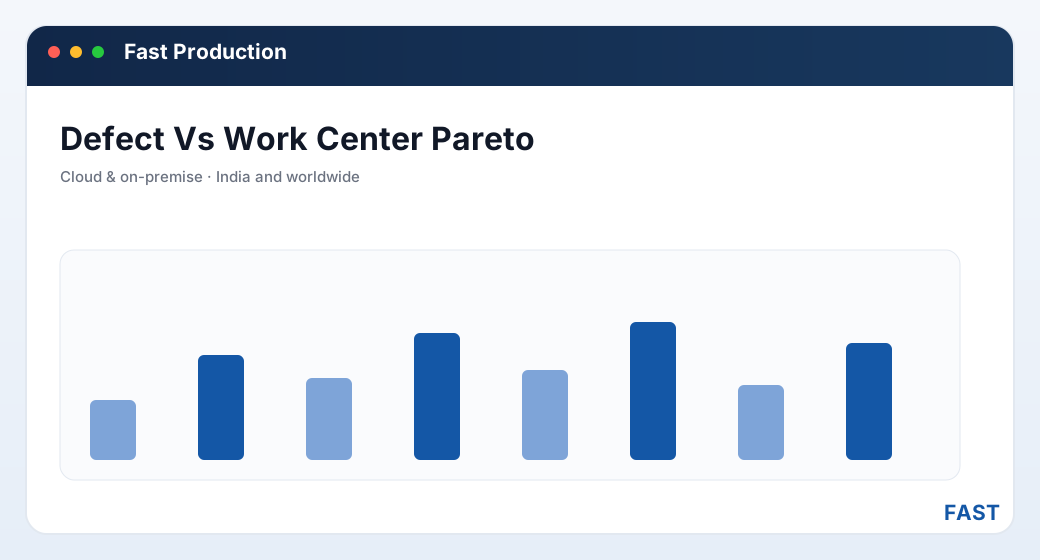
A Pareto of reject by work center: a few stations account for most of the loss. The numbers shown are illustrative — the point is where per-operation capture lets you look.
The mock dashboard below shows the same idea as a table — reject by work center and defect type, with illustrative numbers, of the kind a rejection MIS produces once reject is booked at each operation:
| Work center | Top defect | Reject qty | Reworked | Scrapped |
|---|---|---|---|---|
| CNC Turning | Dimensional (OD) | 142 | 96 | 46 |
| Milling | Surface finish | 88 | 71 | 17 |
| Grinding | Undersize | 54 | 12 | 42 |
| Drilling | Burr / hole position | 37 | 33 | 4 |
| Assembly | Fit / missing part | 21 | 19 | 2 |
Illustrative figures inside a mock rejection-MIS card — not real plant data. The pattern is what matters: turning and grinding carry both the most reject and the least-recoverable reject, so they earn attention first.
6. How AI clustering surfaces recurring themes
Numbers tell you where reject concentrates; the remarks tell you why. But reject and defect remarks are free text — "burr at edge", "edge burr", "deburring missed" — and the same underlying problem gets phrased three different ways, so it never adds up when you scan the list by eye. This is exactly the kind of pattern that clustering is good at.
Dhruv AI reads across the reject and defect remarks and does three things a manual review struggles with:
- Clusters remarks into labelled themes. Variations of the same problem are grouped and given a plain label, by work center and by item, so a theme that was hiding behind inconsistent wording becomes a single, countable line.
- Answers plain-English questions of live production data. You can ask "which defects are driving grinding reject this month?" in ordinary language, in a read-only sandbox over your own production data, and get an evidence-based answer instead of an anecdote from the last shift you happened to watch.
- Summarises on a production-role dashboard. The insight summaries land on a dashboard built for the production role, so the recurring themes are in front of the people who can act on them, not buried in a report nobody opens.
The value is not that AI replaces the analysis — it is that it reads every remark, every time, without tiring, and surfaces the theme that a busy supervisor would have skimmed past. Combined with defect-vs-work-center data, it turns "we seem to have a lot of grinding reject" into "grinding undersize is the theme, it clusters on these two items, and here is the trend."
Stop reading reject notes one at a time. See the themes.
Dhruv AI clusters rejection and defect remarks into labelled recurring themes by work center and item, and lets your production team ask plain-English questions of live production data in a read-only sandbox — with the answers summarised on a production-role dashboard. The "why" behind the reject reads itself.
7. Common traps that keep reject high
Most plants that struggle to reduce reject are not careless — they are undermined by a handful of measurement habits that hide the problem. Naming them makes them easy to avoid:
- Counting reject only at the end of the line. An end-of-line count knows the job lost parts but not where. Without per-operation capture, every improvement idea is a guess about which station to blame.
- Blending line rejection and in-process reject into one number. A single "rejection %" that mixes operation-level WIP reject with part-level line rejection can neither drive operation improvement nor a clean rework decision. Keep them distinct.
- Reworking without a record. Informal rework at the bench recovers the part but loses the data — so you never learn how much reject is recoverable or what it costs. A rework route and status turn recovery into a measured event.
- Scrapping without a record. Scrap booked as "shortage" breaks consumption reconciliation and erases the defect. Scrap with a record keeps issued-equals-good-plus-reject-plus-scrap true.
- Never reading the remarks. The count says how much; the remark says why. A rejection MIS reviewed without its remark themes invites confident, wrong conclusions about the cause.
- Letting reject data live outside the work order. Reject tracked in a separate spreadsheet cannot be joined to the operation, work center, item or route — which forfeits every diagnostic cut described above.
8. How Fast Production implements the loop
Fast Production builds this whole cycle into the shop-floor workflow, so measurement happens as a by-product of running the job properly rather than as extra paperwork:
- In-process reject at each operation. Good and reject are booked as separate WIP postings at every operation, and process scrap is removed with its own record — so reject is attributed to the work center where it happened. See Material Issue & WIP.
- Line rejection at part and child-part level. Parts rejected on the line are booked against the work order — at finished-part or child-part level — so the failure is attributed to the right part, not a job average.
- A controlled rework loop. A rework route is defined for the rejected quantity, a rework status tracks the rework operations, and the outcome is a booked decision: salvage to finished goods, transfer back into the main flow, or scrap with a replacement raised where the order still needs it. See FG, Rejection & Rework.
- Defect-vs-work-center and rejection MIS. Reject and scrap rates by item and work center, defect-to-work-center mapping, and a process-cost report turn the booked records into the Pareto and cause views that prioritise improvement.
- Dhruv AI on the remarks. Dhruv AI clusters reject and defect remarks into labelled themes and answers plain-English questions over live production data, so the "why" behind the reject is legible.
- One platform, into Quality. Because line rejection and rework run on the same document engine as work orders, material issue and finished-goods transfer, the reject data flows straight into Fast Quality's non-conformance and rework — no re-entry, one audit trail.
The result is that reject stops being a number quoted from memory and becomes a chain of booked events — attributed to an operation, tied to a work order, routed through rework, and resolved with a recorded outcome. That chain is what makes reduction possible: you can only cut what you can see, and you can only see what you booked. For the wider context of how these pieces sit together, start with what production management software is, or read how work order management and the bill of materials anchor the job that reject is booked against. Work orders and their route sheets are covered under Work Orders & Job Cards and BOM & Bill of Resources.
9. Frequently asked questions
See where your reject is really coming from
A 30-minute demo — line rejection, the rework loop and defect-vs-work-center analysis on screen, with your work orders and route sheets.