
A work order looks like the simplest document on the shop floor — make 500 of this by Friday. It is also the one that quietly holds everything together. Once it is released, every kilogram of steel issued, every operation run, every piece passed or rejected, and every finished part put back into stock is booked against it. Get the work order lifecycle right and, at the end of the job, you can answer the only three questions that matter: how much did we make, how much did it really consume, and where is the difference. Get it wrong and the honest answer is still "let me go and count."
This guide walks the work order from its origin in a released Bill of Materials to the moment finished goods land back in inventory. It is written for planners, production managers and plant heads who want to understand the mechanics — not the marketing — of how a work order is opened, fed, executed and closed, and how Fast Production Software runs each step. If you want the wider category context first, our buyer's guide, what is a manufacturing execution system?, sets the scene; this article zooms in on the work order itself.
A work order cannot exist without a released engineering definition — a Bill of Materials and a route. If BOM and Bill of Resources are new to you, read Bill of Materials and Bill of Resources explained first, then come back. Everything below assumes the BOM the order draws on has already been released.
1. What a work order actually is
A work order (WO) is an instruction to manufacture a defined quantity of an item by a date, created from a released BOM and its route. It is the unit of production accountability: not a verbal "start on those brackets", but a numbered document that names the item, the quantity, the due date and the engineering definition to build to.
Crucially, a work order is not usable the moment it is keyed. It is born as a draft — editable, not yet authorised, not yet visible to the floor as work to start. Someone with authority then releases it, which freezes the quantity and the definition it will draw on and signals that material can be reserved and issued against it. That draft-then-release gate is what stops half-thought-out orders from pulling stock. From release, the order moves along a defined status path:
- Draft — created, editable, nothing committed. The planner can still change quantity, date or item.
- Released — authorised and locked for execution. Material can be reserved and issued; the floor can start.
- Completed — the route is finished and finished goods have been transferred to stock; consumption is ready to reconcile.
- Closed — the order is settled and archived with its full status trail retained. No further postings.
Two exit states sit off the main path. An order that is stopped early with only part of the quantity made is short-closed — recognised as done for less than the ordered amount. An order raised in error or abandoned is cancelled, with any reserve or issue already made against it reversed so no stock is stranded. Because every downstream movement carries the work-order number, the order becomes the single thread you pull to see the whole job.
2. WO vs SWO — internal versus customer-linked
Not every work order is the same kind of order, and the distinction matters for traceability. Fast Production separates two document types that share an identical lifecycle but answer different questions about why the job exists.
| Aspect | Work order (WO) | Sales work order (SWO) |
|---|---|---|
| Demand source | Internal — make-to-stock, replenishment, sub-assembly build | A specific customer order / order acknowledgement (OA) |
| Traceable to | An item and a plan line | A named customer and their order |
| Typical use | Building stock of a component, feeding a higher assembly | Make-to-order jobs, audited customer-specific supply |
| Lifecycle | Identical — draft → released → completed → closed, same reserve, issue, WIP and FG transfer | |
Use a plain WO when the demand is internal — you are replenishing a component to stock, or manufacturing a sub-assembly (SFG) that will feed a higher-level build. Use a SWO when the job belongs to a customer order, so the manufactured quantity is traceable end-to-end to the customer it was made for. For automotive and other audited suppliers, that customer link is not optional: when an auditor picks a finished lot and asks which order it was made against, the SWO is the answer. The mechanics of issue, execution and transfer are the same for both — the SWO simply carries the extra thread back to the sales order. Both are managed on the same work orders and job cards screens.
3. Generating work orders from a plan
On a busy floor, work orders are not keyed one at a time. That is slow, and it invites transcription errors between the plan and the order. Instead, planning or MRP suggests the quantity and the work orders are generated straight from the sales or component plan. The plan's net demand for a make item becomes a set of released work orders, and the same MRP run that reserves material creates the earmarks production will later issue against — so the plan, the order and the reservation sit on one continuous chain with nothing re-entered between them. Our Fast Planning / MRP integration page covers that handoff in detail.
Once orders exist, two supporting documents make them usable on the floor:
- Job cards / shop packets. A work order is printed as a job card — the shop-floor packet the operator works from, carrying the item, quantity, route and any drawings. Job cards can be printed in batches for a shift's worth of orders, and sheets allocated to each card, so the floor starts the day with paper (or a terminal view) that matches the system exactly.
- WO specifications. Many items carry per-category attributes — a heat number, a grade, a size, a finish — that are not part of the generic BOM but must travel with this order. Work-order specifications capture those category-specific attributes on the order and print them with the job card, so the operator builds to the right variant.
The payoff of generating rather than keying is subtle but large: the number of live work orders can scale with demand without adding data-entry headcount, and every order is guaranteed to reflect the plan it came from.
4. Reserve vs issue — where stock commits
This is the section to slow down on, because it is where most home-grown systems and spreadsheets quietly go wrong. Feeding a work order with material is a two-step process, and the two steps are not the same event. Confusing them is the single most common reason a stock figure lies.
When a released work order needs material, its BOM is exploded into a production requisition — a list of the child items and quantities the order will consume, scaled to its quantity. From there, material moves in two distinct stages:
- Reserve against the work order. Stock is earmarked for this order — backed by an MRP reservation so the same material cannot be double-committed to a second order. Reserving protects the plan: it says "this steel is spoken for." But no stock has physically moved. On-hand is unchanged; the material is still in the store, just spoken for.
- Issue to the work order. Material is physically issued to the order via an issue slip. This is the real stock deduction — the material leaves store stock and is charged to the job. Only now does on-hand fall.
The principle to carry away: reserve earmarks, issue moves the ledger. A system that deducts stock at reserve will understate on-hand and mislead every other job competing for the same material; a system that never distinguishes them cannot tell you what is genuinely available versus merely promised. Fast Production keeps the two as separate documents against the order precisely so the ledger only changes when material actually leaves the store.
Real floors are messy, so the issue step has to handle the corrections that follow:
- Issue reversal. A wrong issue — wrong item, wrong quantity, wrong order — is reversed cleanly, putting the stock back rather than leaving a phantom consumption on the job.
- Return. Material issued but not consumed is returned to stock through the same issue/return slip, so the work order is charged only for what it actually used.
- Cancellation. When an order is cancelled, its reserves and issues are recorded as cancelled and unwound, so nothing stays stranded against a dead order.
All of this posts to the same stock ledger the warehouse keeps, which is why raw-material depletion is visible to inventory the instant an issue is made — no nightly reconciliation, no separate store register. See material issue & WIP for the full flow.
Picture two work orders that both need the same grade of bar. If reserving deducted stock, the first order would appear to consume it before it had touched the floor, and the second order's shortage check would fire falsely. Because a reserve only earmarks, both orders see the truth: the bar is committed to order one, not yet consumed, and the store still physically holds it until issue.
5. Running the route — process and operations
With material issued, the work order executes its route — the ordered sequence of operations it passes through, each at a defined work center. The route comes from the released process sheet, and each operation carries a standard time at its work center, so the order can be scheduled and its actual run compared against the standard.
Execution is operation by operation. An operator picks up the job at a work center, runs the operation, and books its completion; the order then moves to the next operation on the route. Where quality gates apply, an operation branches into an in-process inspection step that must clear before the following operation can start — so a defect caught at operation two does not travel three more operations before anyone notices. Process specifications — the dimensional or quality parameters expected at each operation — travel with the route so the operator and inspector are working to the same numbers. This is the machinery behind process and route sheets: operations, work centers, standard times and in-process checks, all tied to the one work order.
6. Capturing WIP — good, reject and scrap
As the order works through its route, the output of each operation is booked — not estimated at the end, but recorded where it happens. At every operation the system captures good quantity and reject quantity, and any process scrap is removed from the route. Production slips move the work-in-progress from one operation to the next, so at any moment you can say how many good pieces are three operations deep and how many fell out along the way.
Here is the second point where intuition trips people up: WIP bookings do not touch finished-goods stock. Booking good quantity at an operation says "this many pieces passed this step" — it does not mean finished goods exist yet. WIP good and reject postings track quantity through the route and measure yield operation by operation, but the item is not on-hand as a finished good until it is transferred (the next section). Treating a WIP good booking as a stock receipt is exactly how a system ends up double-counting: once as WIP, again at transfer.
Captured this way, reject becomes a number you can act on rather than a loss that evaporates into a bin. Because reject is booked per operation and per work center, ten failures at the same station stop looking like ten bad days and start looking like the systemic tooling problem they are. That per-operation detail is what feeds the rejection analysis and the rework loop covered in our guide to cutting rejection and rework.
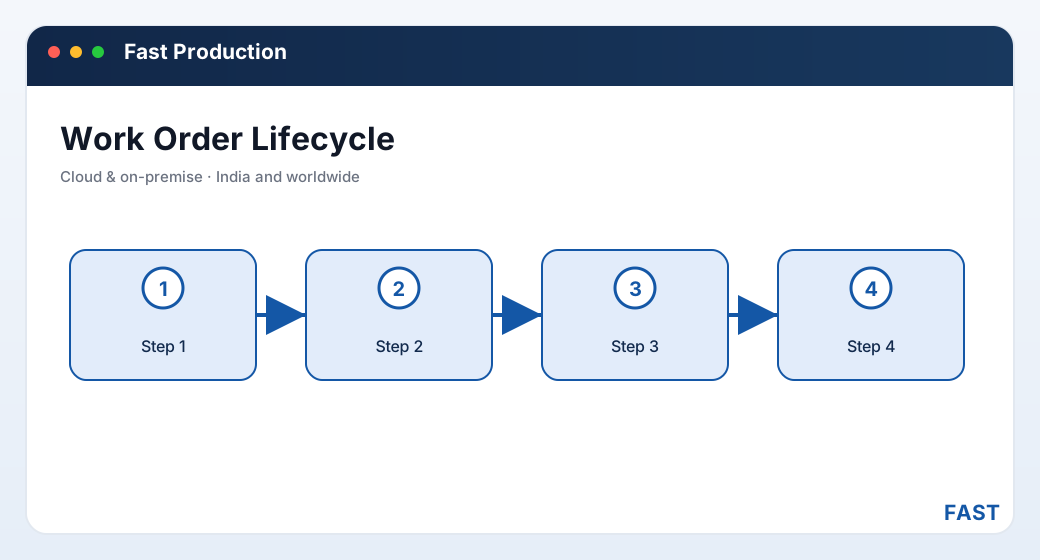
Stock changes at exactly two points on the work order: down at issue, up at FG transfer. Reserve and WIP booking move quantity and commitment, not the stock ledger.
7. Finished-goods transfer — the second commit point
When the route is complete, the manufactured output is transferred back into stock as finished goods (or, for a sub-assembly, semi-finished goods that will feed the next-level order). This is the second and final commit point: finished-goods stock rises here, at transfer — not when good quantity was booked at the last operation. Before transfer, the pieces were work-in-progress; after transfer, they are on-hand inventory the warehouse can dispatch.
The transfer handles the realities of a real run:
- Lot tracking. Where traceability is required, finished goods are transferred against a lot, so the FG lot can later be traced back to the work order, the material issued, and the operations run.
- Excess / over-production. A run that yields more than the ordered quantity is handled as an excess transfer rather than being forced to match the order exactly, so the extra good pieces still enter stock cleanly.
- SFG feeding the next level. Semi-finished goods transfer the same way, landing in stock ready to be issued to the higher-level assembly's work order.
Once the finished goods are in stock, the work order moves to completed. Because the transfer posts to the same stock ledger inventory keeps, the finished goods are immediately visible for dispatch — there is no separate "goods received from production" step to key, and no window where the pieces exist physically but not in the system.
8. Completion, close and the follow-up MIS
Completing a work order is more than flipping a status. At completion, actual consumption is reconciled against the BOM — what the order really consumed versus what the BOM said it should — so over-issue, short-issue and unexplained variance surface here rather than at a year-end stock-take. That reconciliation is the number a plant head actually wants: not "did we make 500?" but "did making 500 cost what it was supposed to?" With consumption settled, the order moves to closed, its full status trail retained for audit.
Closing one order is routine; running dozens at once is where the reporting earns its place. The management view over live and closed orders is what turns work orders from paperwork into control:
- Work-order follow-up across all open orders
- Ageing — which orders are running late against the due date
- Bottleneck orders surfaced before they slip further
- Where each job card is on its route, right now
- Which operation and work center holds the piece
- Good and reject booked to date on the order
- The true count of orders in progress vs settled
- Consumption vs BOM reconciled at close
- Short-closed and cancelled orders accounted for
- Material plus operation cost rolled up per order
- Reject and scrap rates by item and work center
- Standard vs actual run time per operation
These are the reports a plant head lives in — not because they are elaborate, but because every figure in them was captured at source as the work order ran, rather than reconstructed after the fact. That is the whole argument for managing work orders as documents instead of notes.
9. How Fast Production Software implements the lifecycle
Fast Production Software is the shop-floor manufacturing-execution product of the Fast Suite, built in Pune by Improsys under the Fast Technology brand. It runs the full work-order lifecycle above as real, named screens — the same ones you would see in a demo — and, because it shares one platform and one document engine with the rest of the suite, nothing is re-keyed at a boundary.
| Stage | How Fast Production Software does it |
|---|---|
| Work order | Work orders — internal WO or sales work order (SWO) against a customer OA — are created directly or generated from the sales plan, born as a draft and released before the floor starts. Job cards print for the line, and WO specifications capture per-category attributes on the order. |
| Reserve & issue | The BOM is exploded into a production requisition; stock is reserved against the work order to earmark it, then issued via an issue/return slip — the real stock deduction. Wrong issues are reversed, unused material is returned, and cancellations are recorded so nothing is stranded. |
| Route & process | Master and order process sheets route each work order through work centers with operation standard times and process specifications; an in-process inspection branch can gate an operation before the next one starts. |
| WIP capture | Good quantity, reject quantity and process scrap are booked at each operation; production slips move WIP between operations and on to finished goods, so work-in-progress is always a live number — without touching finished-goods stock until transfer. |
| FG transfer | When the route completes, finished and semi-finished goods are transferred back into stock — lot-tracked where required, with over-production handled — and the order moves to completed, then closed. FG is on-hand for dispatch immediately. |
| Close & MIS | Consumption is reconciled against the BOM at completion; work-order follow-up, ageing, live job-card status and process-cost MIS report the floor live, and Dhruv AI adds plain-English questions over your production data and clustering of rejection remarks by work center and item. |
The connection points matter as much as the stages. Work orders are generated from Fast Planning; every issue and FG transfer posts to the same stock ledger Fast Inventory keeps; and line rejections and rework decisions flow into Fast Quality. It is one platform and one document engine, so a work order, a material issue, a WIP posting and an FG transfer all interoperate natively with warehouse stock and quality inspection. For make-to-order fabricators and automotive component makers who need traceability from finished lot back to raw material, that shared spine is the point.
Run every job from released BOM to closed — with stock you can actually trust.
Fast Production opens the work order, reserves and issues material against it, drives the route with good and reject WIP capture, transfers finished goods to stock, and reconciles consumption at close. Because it shares one platform with Fast Planning, Fast Inventory and Fast Quality, a work order generated from the plan draws against the same stock ledger the warehouse keeps — with nothing re-entered.
10. Frequently asked questions
Watch one work order run, start to close
A 30-minute demo — your BOM, your route, one work order walked live from released to finished goods in stock. No generic slideshow.