
Somewhere on your shop floor right now there is a job nobody can fully account for. The material was issued against it — probably — but the store keeper wrote the quantity on a slip that is now under a coffee cup. Two operations are done, one is half-done, and the reject count lives in the line supervisor's head. When planning asks how many good pieces you actually have, the honest answer is "let me go and count." That gap — between what the plan assumes and what the floor actually did — is the problem a manufacturing execution system exists to close.
This guide is written for the person evaluating the software category — a plant head, production manager, or business owner deciding what to buy and what to ask vendors. It covers what the software actually does step by step, the capabilities that separate a real production system from a spreadsheet with a login screen, and how Fast Production Software implements each one. If you want to learn the underlying discipline first — the practice of production management itself, independent of any tool — start with our pillar guide, What is production management software?, and come back here when you are ready to compare software.
The Learn Hub pillar guide teaches production management as a practice — the lifecycle, the vocabulary, BOM and routing for newcomers, and shop-floor MIS. This article assumes you know why production control matters and focuses on the buying decision: what the software category does, where products differ, and what to check before you sign.
1. What is a manufacturing execution system?
A manufacturing execution system — also sold as production management, production control or shop-floor software — gives a plant a single, structured way to release an engineering definition, open work orders, issue material, execute operations, capture good and reject output, transfer finished goods, and record rejection and rework. It sits between planning and inventory: planning tells it what and how much to make, inventory holds the material it consumes, and quality inspects what it produces.
The starting point is always the same three-part engineering definition: a Bill of Materials (what the product is made of), a Bill of Resources (the machines, labour and tools it takes to make it), and a process or route sheet (the ordered sequence of operations through each work center). Once that is released, the system can explode it into a material requisition and a route, and every downstream movement becomes a numbered, owned, dated document rather than a note on a job card.
The key word is executed. Plenty of tools can store a BOM. The difference a real production system makes is that nothing about the execution is optional or memory-dependent:
- Every job is a work order — an instruction to make a quantity of an item by a date, born as a draft and released before the floor touches it, not a verbal "start on those brackets"
- Every issue is recorded — material leaves store stock against a specific work order, so consumption can be compared to the BOM instead of guessed at
- Every operation has output — good and reject quantity are booked at each step, so work-in-progress is a number, not an estimate
- Every finished piece is transferred — completed output lands back in inventory as stock at a defined transfer point, ready to dispatch
- Every reject gets a route — parts rejected on the line escalate into a controlled rework loop or are scrapped with a record, instead of piling up in a red bin nobody reconciles
For organisations working to a quality system such as ISO 9001 or IATF 16949, this is not just good housekeeping — it is the working machinery behind traceability: which material lot went into which work order, who ran which operation, what was rejected and what was reworked. Our material issue & WIP and FG, rejection & rework pages cover the traceability angle in detail.
2. Why spreadsheets and paper job cards fail
Most plants do not start with no system. They start with a planning spreadsheet, a printed job card per work order, and a store keeper's issue register. It feels adequate until volume, staff turnover or a customer audit exposes it. The failure modes are consistent enough to list:
- No single record. The work order lives on a printed card, the material issue lives in the store register, the reject count lives on the line, and finished-goods receipt lives in inventory's book. Reconstructing what one job actually consumed takes an afternoon.
- Stock that lies. A spreadsheet cannot tell the difference between material that is reserved for a job and material that has actually been issued. So on-hand looks fine until the second work order tries to draw the same steel that was quietly committed to the first.
- Invisible WIP. Between "issued to line" and "finished goods received", the quantity is nobody's number. Half-machined parts sit at a work center and no report can say how many good pieces are three operations deep.
- Reject that evaporates. Parts fail at an operation, go into a bin, and the loss never lands against the work order. Yield looks better on paper than in the stores, and the same defect returns next month because nobody counted it the first time.
- No pattern visibility. Ten rejections at the same work center look like ten separate bad days. Without capturing reject by operation and by defect, a systemic tooling problem hides inside individual anecdotes.
- Audit pain. When a customer auditor asks to trace a lot from finished goods back to the raw-material heat number, a stack of job cards is not a record. Assembling the chain retroactively is miserable — and visible.
None of this fails loudly. That is what makes it dangerous: a spreadsheet never sends you a report saying material is double-committed, WIP is ageing at the grinding section, and reject at one work center has quietly doubled.
3. What the software does — the production lifecycle
Whatever the vendor, discrete production follows broadly the same sequence. What the software does is make each step explicit, owned and recorded — so the process runs the same way whether the floor is running five work orders a week or five hundred.
| # | Step | What the software does |
|---|---|---|
1 |
Engineering release | The master BOM, Bill of Resources and process/route sheet are authored, then released — moving the definition from draft to a status the floor can draw on. Later changes go through a controlled engineering change (ECN). |
2 |
Work order | Planning suggests a quantity; the system opens a work order (internal WO or a sales work order, SWO, against a customer order) and releases it. Job cards print for the floor. |
3 |
Reserve | The BOM is exploded into a production requisition and stock is reserved against the work order — earmarked so it cannot be double-committed. No stock has moved yet. |
4 |
Issue | Material is issued to the work order via an issue/return slip. This is the real stock deduction — raw material and sub-assemblies leave store stock and are charged to the job. |
5 |
Execute operations | The work order runs each operation on its route, per work center, against standard times. An in-process inspection branch can gate an operation before the next one starts. |
6 |
Capture WIP | At each operation the output is booked — good quantity, reject quantity and process scrap — so work-in-progress is a live number and yield is measured, not assumed. |
7 |
FG transfer | When the route is complete the finished (or semi-finished) goods are transferred back into stock — the second commit point — lot-tracked where required, and the work order is completed. |
8 |
Line rejection | Parts rejected on the line are booked against the work order, at part or child-part level, instead of vanishing into a bin. Replacement material can be raised. |
9 |
Rework | Rejected parts enter a controlled rework sub-process — a rework route and status — and are either salvaged to finished goods, returned to the main flow, or scrapped with a record. |
10 |
Close & MIS | The work order is closed with its full status trail retained, consumption is reconciled against the BOM, and reject/scrap and process-cost MIS roll up for the management review. |
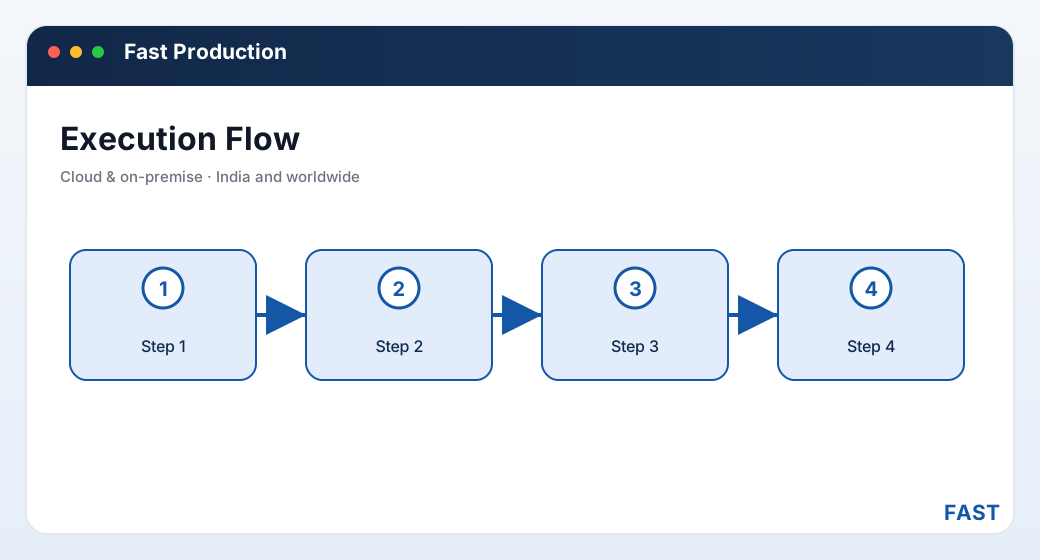
The lifecycle is a loop, not a line — reject captured at each operation feeds the rework decision, and salvaged parts flow either to finished goods or back into the main work-order flow.
4. Core capabilities checklist
Feature lists blur together quickly. These are the eight capabilities that actually determine whether a product can run a shop floor — use them as your evaluation checklist.
- Multi-level / structural BOM with qty-per and scrap
- Resources — machines, labour, tools, operations
- Release control and where-used explosion
- Internal WO and sales work order (SWO)
- Generate from the plan, release, print job cards
- Draft → released → completed → closed status
- Requisition by BOM explosion against the WO
- Reserve to earmark, issue to deduct stock
- Issue reversal, return and consumption vs BOM
- Operations per work center with standard times
- Process specifications and parameters
- In-process inspection branch and completion status
- Good and reject quantity booked per operation
- Process scrap recorded and removed from the route
- Production slips move WIP operation to operation
- FG and SFG transfer back into stock
- Lot-tracked finished goods, excess/over-production
- Immediately on-hand for inventory and dispatch
- Line rejection at part and child-part level
- Rework route and status, salvage or scrap
- Defect-vs-work-center and rejection MIS
- Work-order follow-up, ageing and live job-card status
- BOM costing and process-cost roll-up
- Reject/scrap rates by item and work center
Alongside these eight, check the commit discipline: does the system understand that stock only truly moves at issue and at FG transfer — not at reserve, not at WIP booking? A product that deducts stock at the wrong moment will double-count on-hand and misstate WIP, and no amount of dashboards will fix a ledger that commits at the wrong point.
5. MES vs ERP — and how it connects to planning, inventory and quality
Buyers often discover mid-evaluation that "production software" and "ERP" are answering two different questions. They are related but not the same, and the best arrangement runs both on one platform rather than bolting a shop-floor tool onto a separate accounting system.
| Aspect | Manufacturing execution (MES) | ERP / planning layer |
|---|---|---|
| Core question | How is this job actually being made, right now? | What should we make, and what will it cost? |
| Level of detail | Operation, work center, material issue, WIP piece | Order, plan, financial period, ledger |
| Time horizon | Live — this shift, this operation | Forward — the plan, the month, the quarter |
| Key documents | Work order, issue slip, WIP posting, FG transfer | Sales order, purchase order, invoice, GL entry |
| Owns reject/rework | Yes — captured at source, per operation | Sees the summary, not the shop-floor detail |
| Stock impact | Deducts RM at issue, deposits FG at transfer | Values the stock the execution layer moves |
The point is not that one replaces the other — it is that they must share the same data. A manufacturing execution system is a consumer of planning and inventory and a feeder of quality and finished-goods stock:
- Planning / MRP tells production what to make. Work orders are generated from the sales or component plan, and MRP reservation creates the earmarks production issues against. See Fast Planning / MRP.
- Inventory / WMS holds the raw material. Every material issue and every FG transfer posts to the same stock ledger the warehouse uses, so raw-material depletion and finished-goods receipt are immediately visible to inventory and dispatch. See Fast Inventory & Quality.
- Quality / QMS inspects what is produced. Operation status branches into in-process and finished-goods inspection, and line rejections and rework decisions flow into the quality module's non-conformance and rework handling.
In Fast Production these are not integrations in the brittle sense — they are the same platform and the same document engine, so a work order, a material issue, a WIP posting and an FG transfer all interoperate natively with warehouse stock and quality inspection. Nothing is re-keyed at a boundary.
6. Who needs a manufacturing execution system?
Not every workshop needs a dedicated system on day one. These are the situations where the spreadsheet-and-job-card approach reliably stops being enough:
| Manufacturer | Why a structured system becomes necessary |
|---|---|
| Fabrication & job shops | Make-to-order work needs a per-order BOM and process sheet, material issued and tracked against each job, and true job costing at close. See fabrication & job shop software. |
| Automotive component makers | APQP/PPAP-governed parts demand work-center routing, in-process inspection, and line rejection and rework tracked per work order for the customer audit. See automotive component manufacturing software. |
| Assembly operations | Multi-level structural BOMs, sub-assembly manufacture and kit/component issue to the line need SFG-to-FG transfer, not a flat parts list. See assembly manufacturing software. |
| Make-to-order / make-to-stock plants | Any plant generating work orders from a plan and transferring finished goods to stock needs live WIP, reservation and MIS instead of a monthly stock-take reconciliation. See make-to-order manufacturing software. |
The practical trigger is usually one of three events: a job that consumed far more material than the BOM said and nobody could explain where it went; a customer audit finding on traceability or on reject control; or a growth stage where the number of concurrent work orders outruns the memory of the one planner who used to hold it all together.
7. How to evaluate a production system
Most demos look good. The differences show up in the specifics, so evaluate against your own shop floor rather than the vendor's script.
- Do you work to master BOMs, order-specific BOMs, or both?
- Are work orders generated from a plan, or opened by hand against customer orders?
- Where does material get issued, and who books good and reject at each operation?
- Ask the vendor to walk one work order from released BOM to closed, with FG in stock
- Check the commit points specifically — when exactly does stock leave, and when does FG arrive?
- Check that every issue, WIP posting and transfer leaves a trail you could show an auditor
- Is reject a single number at the end, or captured at each operation and against the work order?
- Is there a real rework route and status, or just a note that a part was "reworked"?
- Can you analyse reject by defect and by work center to find the recurring cause?
- Does reserving material earmark it, or does it wrongly deduct stock before it leaves the store?
- Can a wrong issue be reversed, and unused material returned, cleanly?
- Does consumption reconcile against the BOM so over-issue is visible?
- Open vs closed work orders, ageing, and live job-card status at a glance
- Reject and scrap rates sliced by item and work center for trend analysis
- BOM and process costing — does the system roll up material plus resource cost per item?
- Does the same item and stock master serve planning, inventory and quality, or will you maintain several?
- Can a work order be generated straight from the plan without re-entry?
- Can it start with production and grow into full ERP later on one platform?
8. How Fast Production Software implements each capability
Fast Production Software is the shop-floor manufacturing-execution product of the Fast Suite, built in Pune by Improsys under the Fast Technology brand. It runs each capability above with real, named screens — the same ones you would see in a demo:
| Capability | How Fast Production Software does it |
|---|---|
| BOM & Bill of Resources | Master, structural/multi-level and order-specific BOMs carry child-material lines with quantity-per and scrap, plus a Bill of Resources for machines, labour, tools and operations. A BOM is not usable by production until it is released. See BOM & Bill of Resources. |
| Work orders | Work orders (internal WO or sales work order SWO against a customer order) are created directly or generated from the sales plan, born as a draft and released before the floor starts. Job cards print for the line; consumption and completion are tracked against the order. See work orders & job cards. |
| Material reserve & issue | The BOM is exploded into a production requisition; stock is reserved against the work order to earmark it, then issued via an issue/return slip — the real stock deduction. Wrong issues are reversed and unused material returned. See material issue & WIP. |
| Process & routing | Master and order process sheets route each work order through work centers with operation standard times and process specifications; an in-process inspection branch can gate an operation. See process & route sheets. |
| WIP tracking | Good quantity, reject quantity and process scrap are booked at each operation; production slips move WIP between operations and on to finished goods, so work-in-progress is always a live number. |
| FG transfer | When the route completes, finished and semi-finished goods are transferred back into stock — lot-tracked where required, with over-production handled — and the work order moves to completed/closed. FG is then on-hand for dispatch. |
| Rejection & rework | Line rejection is booked against the work order at part or child-part level; rejected parts enter a rework route with its own status, then salvage to finished goods, return to the main flow, or scrap. Defect-vs-work-center analysis finds the recurring cause. See FG, rejection & rework. |
| Analytics | Work-order follow-up, live job-card status, and reject/scrap and process-cost MIS report the floor live; and Dhruv AI adds a Production role dashboard, plain-English questions over your production data in a read-only sandbox, and clustering of rejection remarks into labelled recurring themes by work center and item. |
Start on the shop floor. Grow into planning, inventory, quality and full ERP.
Fast Production runs the execution layer — BOM release, work orders, issue, WIP, FG transfer, rejection and rework. Because it shares one platform and one document engine with the rest of the Fast Suite, a work order generated from Fast Planning draws against the same stock ledger Fast Inventory keeps, and a line rejection flows straight into Fast Quality's non-conformance and rework — with nothing re-entered.
9. Frequently asked questions
See the whole lifecycle on your own work orders
A 30-minute demo — your BOM, your route, your shop floor walked live on screen. No generic slideshow.